
Transform parent
Verification record: Umoupen 0.9.61 build 648 (2026-10-14) · Verification scope

Assign another layer as a transform parent so the child follows its transform. With line art as the parent and fills as the child, scaling the parent also scales the fills.
Location: Right-click a layer row → Transform Parent
Assign a parent
Section titled “Assign a parent”- Right-click the row of the child layer you want to follow another layer.
- Under Transform Parent, choose the layer to follow.
- Check that connection markers appear on the parent and child rows.
- Select the parent, set the Move tool target to Layer, and scale it from a corner of the transform box.
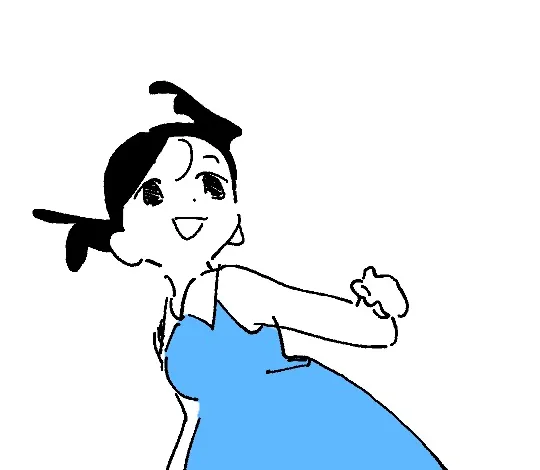
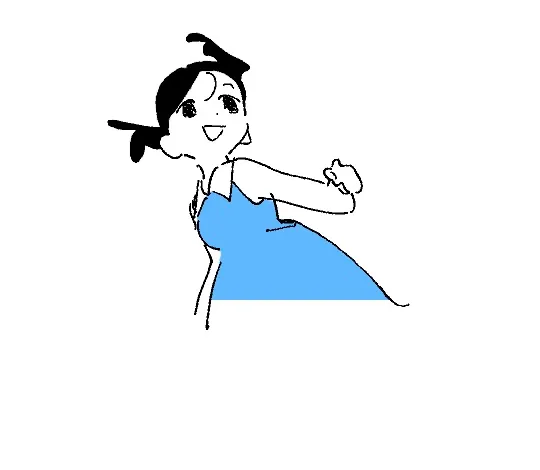
If the parent’s line art and the child’s fills remain aligned as they scale, the child is following. Moving a layer into a folder and assigning a transform parent are separate operations. You can assign a layer to follow without changing its location in the layer list.
Before scaling
Parent scaled down
Remove the parent
Section titled “Remove the parent”Click the child’s connection marker to clear its transform parent. In the row menu, choose Transform Parent → No Parent.
The parent’s transform then stops applying to the child. In the line art and fill example, the parent remained smaller while the fills returned to their original size. Check the child’s position and size after clearing the parent.
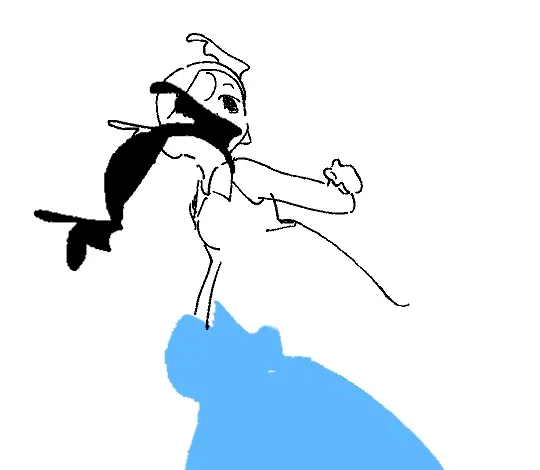
If they do not transform together
Section titled “If they do not transform together”- Parent and child: Check that the layer you transform is the parent and the layer that should follow is the child.
- Operation target: Select the parent row and transform the layer, rather than editing only its contents.
- Cannot edit: Check the parent layer’s lock and the current frame.
Related articles
Section titled “Related articles”Verification
Section titled “Verification”- Hands-on verified: Assigned ANIME as the Transform Parent of COLOR. Scaling the parent also scaled the fill; clearing the child link returned the fill to its original size.
- Unverified: Following ordinary translation or rotation, nested parent chains, and other frames. Saving/reopening and Windows behavior were not reverified.