
Blank and duplicate frames
Verification record: Umoupen 0.9.59 build 628 (2026-10-05) · Verification scope
Use New Blank Frame to start with empty artwork, or Duplicate Frame to build on the current artwork. Both command names contain “Frame,” but each creates a new drawing on the selected layer.
See Frames, drawings, cels, and exposures for the terminology.
Location: Timeline (Panels → Show Panels → Timeline)
Shortcut (macOS): Q (Blank Frame) / ⇧Q (Duplicate Frame)
Shortcut (Windows): Q (Blank Frame) / Shift+Q (Duplicate Frame)
Basic steps
Section titled “Basic steps”- In the Timeline, select the destination layer and frame.
- Open Frame in the menu bar and choose New Blank Frame or Duplicate Frame.
| UI label | What it creates |
|---|---|
| Add Frame / New Blank Frame | A new drawing with no contents |
| Duplicate Frame | A new drawing that duplicates the current contents |
A new drawing starts on the selected layer in the Timeline.
You can edit the duplicated image as a new drawing. To reuse the same drawing number, place it in the Timesheet.
Example: add a blank or duplicate from the same drawing
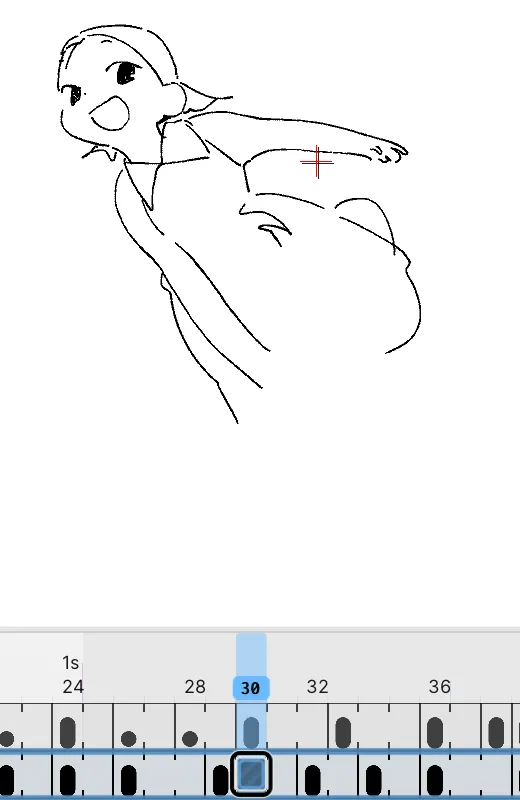
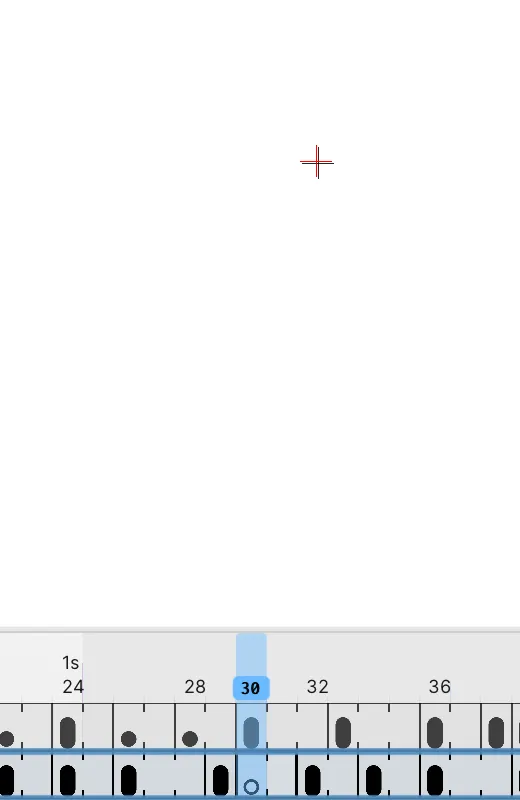
Section titled “Example: add a blank or duplicate from the same drawing”In row A of the project, select frame 30 within the drawing exposed on frames 29–31. Run each command from the original state.
Before: the same drawing on frames 29–31
New Blank Frame: blank from frame 30
Duplicate Frame: the same drawing added at frame 30
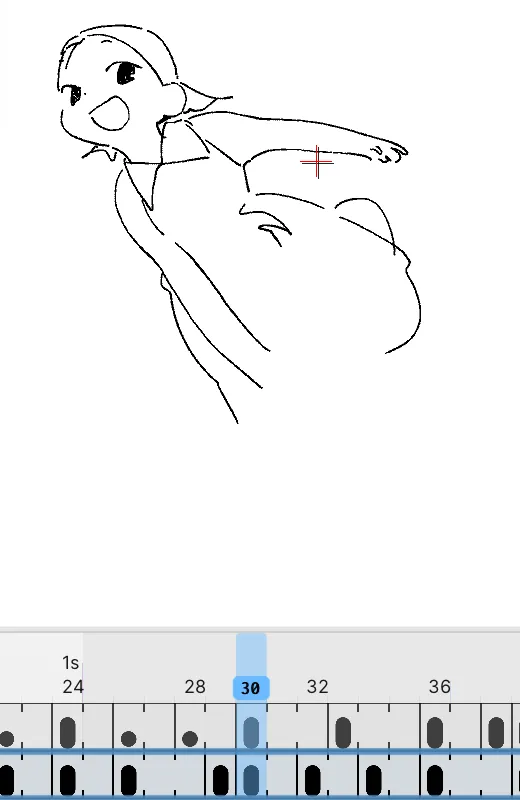
In this example, both commands create a drawing start at frame 30. The blank has a hollow marker; the duplicate containing the drawing has a solid marker.
Add a two-frame exposure
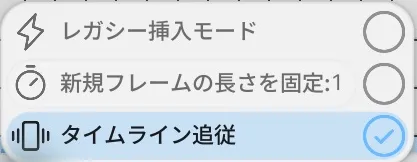
Section titled “Add a two-frame exposure”- Open the menu on the add-frame button at the bottom of the Timeline.
- Turn on Fixed New Frame Length.
- Set the slider in the same row to 2.
- Select the destination and run New Blank Frame.
Running the command partway through an exposure inserts a two-frame blank exposure from that frame. Use the slider to change the fixed length.
The toggle shows Turn on Fixed New Frame Length or Turn off Fixed New Frame Length. The default length has not been checked on screen.
Other options in the add-frame menu
Section titled “Other options in the add-frame menu”| Item | What it does |
|---|---|
| Legacy Insertion Mode | Adds frames the way earlier versions inserted them. Its differences from the current behavior have not been checked on screen. |
| Timeline Tracking | Follows the playback position and scrolls the Timeline so the current frame stays in view. |
If you cannot find the command
Section titled “If you cannot find the command”Open Frame in the menu bar. New Blank Frame and Duplicate Frame are the first two items.
If it does not work
Section titled “If it does not work”| Symptom | What to check |
|---|---|
| After New Blank Frame, the layers split into one-frame blank frames and the drawings disappear | In build 616 this happens inside a folder with Sync Layer Timing on. Undo right away to restore it. Turn off the folder’s sync, select only one layer, and run the command again. |
Related articles
Section titled “Related articles”Verification
Section titled “Verification”- Hands-on verified: Checked and captured the displayed panel or menu in the installed app. Timeline settings include a control to fix the length of new frames. The published image is a faithful crop of the source screenshot.
- Unverified: Verification covers only the interface shown in the image. All article procedures, effects of setting changes, exported file contents, saving/reopening and the Windows version were not reverified in this capture session.