
Add an Exporter and export
Verification record: Umoupen 0.9.61 build 648 (2026-10-14) · Verification scope
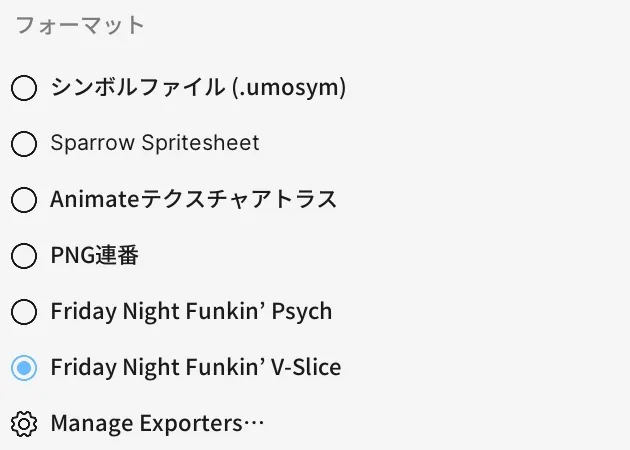
An Exporter is an asset that adds an export format. Use the added format to export a Symbol animation. Set animation names and frame rates to generate sprite images and configuration files.
Location: Market → Exporters / Right-click a Gallery symbol → Export
Add an Exporter
Section titled “Add an Exporter”- Open Market and select Exporters.
- Choose the format to use and install it.
- Check the installed status.
The V-Slice example adds the official Umoupen-Exporters package. Settings and generated files differ by format.
Export a symbol
Section titled “Export a symbol”- In the Gallery, right-click the target symbol’s name.
- Under Export, select the added format. The V-Slice example uses Friday Night Funkin’ V-Slice.
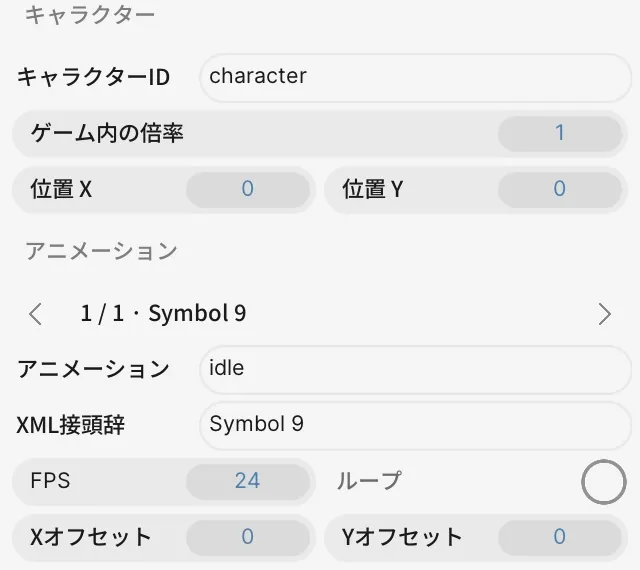
- In Export Symbols, enter a name on the animation row. The example uses
idle. - Check the symbol, prefix, FPS, loop, and offsets.
- Play the preview to check the target motion, then export.
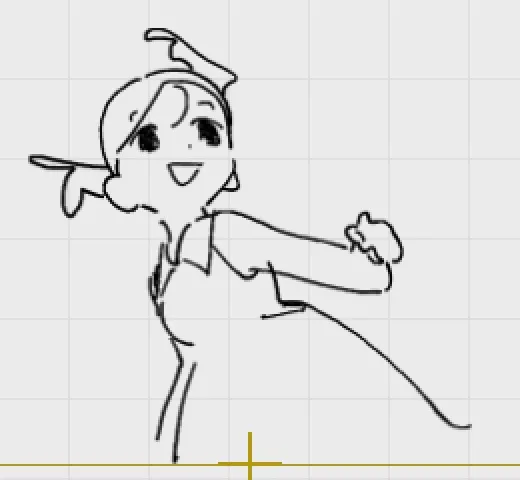
Exporting Symbol 9 as idle at 24fps generated a PNG, atlas information, and character settings from the symbol’s 91 frames.
Atlas information records each frame’s location within the sprite image. See Spritesheets for packed images and frame rate for the time basis.
V-Slice output
Section titled “V-Slice output”| File | Contents |
|---|---|
| Character PNG | Sprite image |
| XML / atlas JSON | Position of each frame in the image |
data/characters/character.json | Animation name, image reference, FPS, and other settings |
_polymod_meta.json | Package metadata |
In this example, an export folder appeared beside the working project without a file selection dialog. Check the generated files after exporting. Loading them in the game requires a separate check.
If a format is missing or export is unavailable
Section titled “If a format is missing or export is unavailable”- Added format is missing: Check its installed status and the target symbol’s Export submenu.
- Export button is disabled: Check the animation name and target assignment.
- Only a short menu appears: Right-click the symbol name in the Gallery to open the symbol menu.
Related articles
Section titled “Related articles”Verification
Section titled “Verification”- Hands-on verified: Installed the official Friday Night Funkin' V-Slice Exporter from Market and selected it from a Gallery symbol-name menu. Export Symbols with idle / Symbol 9 / 24 fps generated a 91-frame PNG atlas, XML, atlas JSON and character JSON.
- Unverified: Import into the game, other Exporters, audio, and other animation assignments. Saving/reopening and Windows behavior were not reverified.