
Smart Fill Layer
Verification record: Umoupen 0.9.61 build 649 (2026-10-15) · Verification scope

A Smart Fill Layer is a dedicated layer that generates region fills from referenced line art. A color seed is a short stroke specifying which color a region should have; it is distinct from the generated fill. Keep line art and fills on separate layers, and specify colors with short strokes inside the regions to fill.
Location: Right-click the line art layer → New Smart Fill Layer
Add fills to line art
Section titled “Add fills to line art”- Right-click the line art layer and choose New Smart Fill Layer.
- Select the fill layer created below it. Connection markers appear on the line art and fill rows.
- Choose a drawing color and use the Pen (X) to draw a short stroke inside a region to fill.
- Check that the color spreads through the region.
- Add color seeds to the other regions and check the whole area you intend to fill.
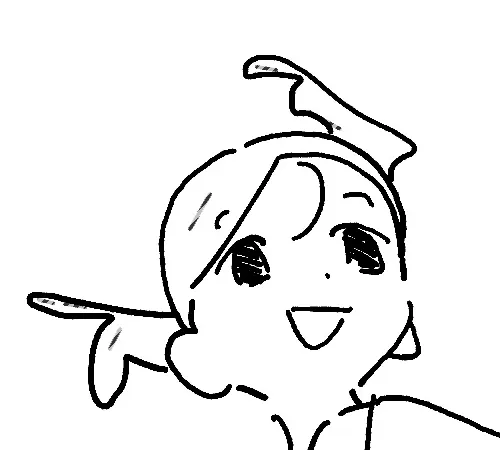
This example places seeds in the fringe, back hair and top strand. Check the boundary with the face and forehead, and add seeds only within the regions you intend to fill. Distinguish the seed strokes from the generated fills when checking the result.
The video shows six Pen seed strokes and the generated region fills. The final view hides the seeds to show the result.
Seeds only
Generated fills
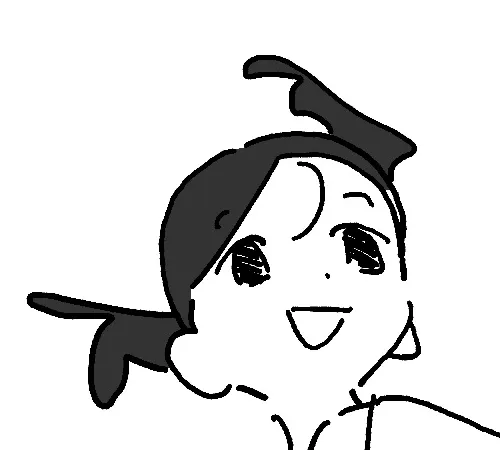
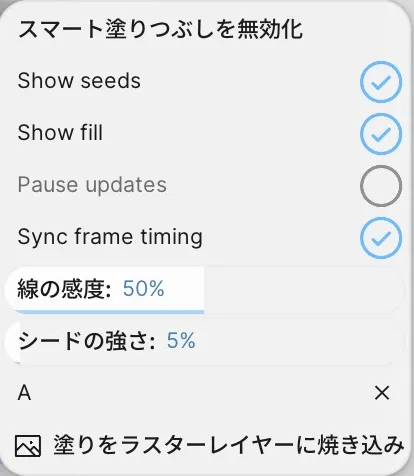
Right-click the fill layer → Smart Fill. Use Show seeds and Show fill to inspect the strokes and generated regions separately.
Choose between regular Fill and Smart Fill
Section titled “Choose between regular Fill and Smart Fill”Fill with color places color in the region you click. Smart Fill uses a dedicated layer with a line art connection and color seeds.
Following changes to line art, correcting fills by erasing seeds, and baking to a regular layer are separate from the fill generation checked here. The Verification section lists the current scope.
If no fill appears
Section titled “If no fill appears”- Drawing target: Select the generated fill layer rather than the line art row.
- Connection: Check the connection marker for the intended line art.
- Target frame: Move to a frame containing the line art you want to fill.
- Region boundary: Check the seed location and gaps in the line art.
Related articles
Section titled “Related articles”Verification
Section titled “Verification”- Hands-on verified: On Symbol 9/A/frame 1, generated fills from six 2 px Pen seed strokes on a Smart Fill layer and checked the seed and fill visibility controls. This is not a complete-hair example.
- Unverified: Following line art edits, correction by erasing seeds, baking, save/reopen, export, and Windows remain unverified.
- Evidence records: F-20261017-009