
Sync layer timing in a folder
Verification record: Umoupen 0.9.49 build 530 (2026-08-24) · Verification scope
Layer timing synchronization keeps frame placement aligned while editing layers directly inside the same folder. It synchronizes timing, such as start positions and exposures, rather than the artwork contents. When lines, color, and shadows are on separate layers, timing edits on one layer can also be applied to the others.
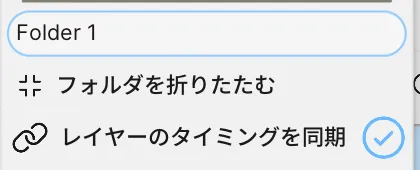
Location: Layers panel → Right-click the folder → Sync Layer Timing
Enable synchronization
Section titled “Enable synchronization”- Put at least two layers in a regular folder. Synchronization applies to layers directly inside that folder.
- Make the frame placement match across the layers.
- Right-click the folder in the Layers panel and turn on Sync Layer Timing.
Timing edits made on one child layer are then applied to the corresponding layers in the same folder.
Example: extend line art and color together
Section titled “Example: extend line art and color together”The project’s line art and hair/clothing color are on separate layers in the same folder. Select the drawing at frame 29 and run Frame → Lengthen Frame three times.
In the video, COLOR contains the color and Layer 5 contains the line art. Both exposures grow from three to six frames, moving the next drawing from frame 32 to frame 35. The final sequence displays frames 29, 35, and 37 with the color aligned to the lines.
When synchronization does not work
Section titled “When synchronization does not work”| Situation | What to check |
|---|---|
| Synchronization cannot be enabled | Check that this is a regular folder with at least two direct child layers and matching frame placement. |
| A layer cannot be added to the folder | Match its frame placement to the synchronized layers. |
Layer timing does not match synced Folder appears | Make the frame placement consistent across the child layers. |
| Synchronization has been disabled | An outside operation that changes a child layer’s timing can disable synchronization. Check the frame placement. |
Disable synchronization
Section titled “Disable synchronization”Choose Disable Sync Layer Timing.
Related articles
Section titled “Related articles”Verification
Section titled “Verification”- Verified from the current implementation: Verified the requirements, propagation of timing to sibling layers, rejection of mismatched layers, and automatic disabling in the current implementation.
- Unverified: Hands-on results with mixed Raster and Vector layers in a folder, the Windows version, and behavior during an online session were not verified.
- Evidence records: F-20260822-011, F-20260823-001, F-20260824-002